A new tool located to the right of the sidebar: Shape Tool.
Configure, place, and customise different shapes in one go, in both dimensions, using either building nodes or manually inputting coordinates.
(Shape list is a concept, remember there’s a whole lot missing):
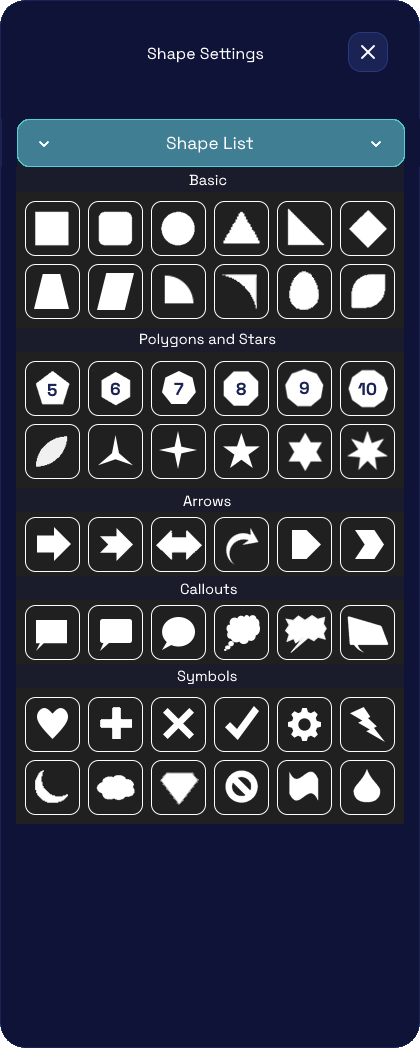
- Basic - simple and well-known
- Polygons and Stars - upwards from 5 to 12.
- Arrows - point to stuff
- Callouts - chatboxes
- Symbols - anything commonly/uncommonly used
Now, you don’t need to do anything manually; rather, you have a whole lot of settings to configure:
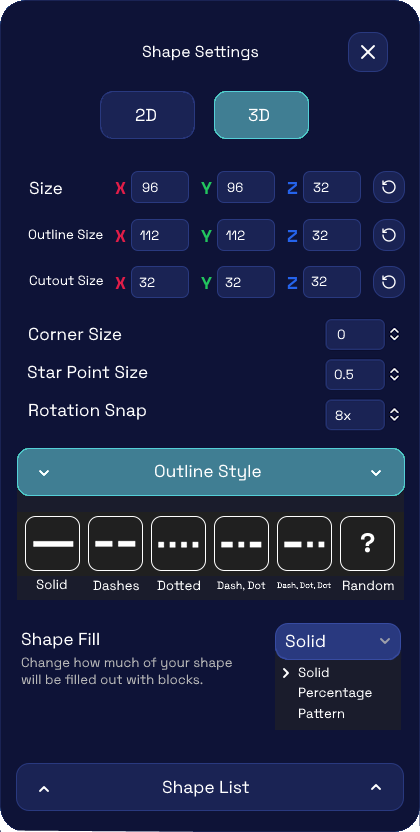
- Dimension - 2D / 3D
This separation has use cases: if you wish to create a Sphere, select the option for a Circle under the Basic category and drag/configure it as such. However, if you wish to create a Cylinder using the same option, you must do so in 2D mode (then configure). Having 3D mode on instead yields an Oval when configuring sizes. - Size - volume of the shape
- Outline Size - line of the outer edge of the shape
- Cutout Size - line of the inner edge of the shape
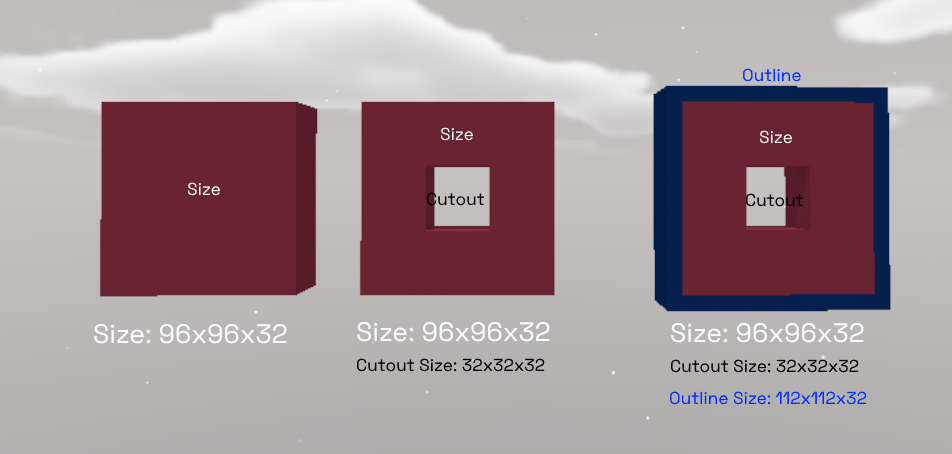
To construct one full Blokoto block, you must drag by 8 layers. This is why the sizes appear so high.
- Corner Size (exclusive to rounded rectangle + chatbox) - size of the shape’s corner
- Star Point Size (exclusive to polygons and stars) - configure the “chubbiness” of the star
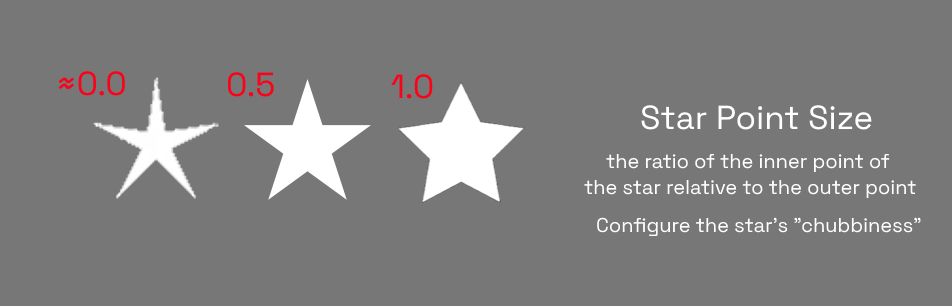
Values closer to 0.5 appear straight, 0 skinny; 1.0 and beyond “chubby”. Not to be overlooked!
- Rotation Snap - maximum rotational angles in the shape (see more details in the related suggestion)
Allows the creation of pixelated or otherwise low-detailed shapes, or shapes akin to KoGaMa - Outline Style - Solid; Dashes; Dotted; Dash, Dot; Dash, Dot, Dot; Random (dashes dots)
- Shape Fill - how much of your shape (Size) will be filled out with blocks.
a. Solid - default, 100%
b. Percentage - 1% to 99% (option to randomise or patternise)
c. Pattern - apply cutting mask to shape fill (similar to texture creation)
You could create a checker pattern for models, for example, or a swirl effect…