A (little) Introduction
There are various types of players; some enjoy shooting games, others like overcoming obstacles in parkour, others enjoy racing, and others just like chatting in social games… However, there’s also the type of player who likes to BUILD! (and I’m one of them)
So, I think it would be nice to give them some love, and also something fun and not so simple and limited (like just throwing blocks trying to build something), and something that brings a sandbox feel.
So, on this concept, I present the BUILD HAMMER!
(literally just a hammer)
How would it work?
Basically, when you pick up the hammer, you could build by pressing the left mouse button (while the player would do a little hitting animation), and to break, you had to hold down the left button and release it on the block (which would cause an animation of the player raising their arm with the hammer while holding the button, and the moment they released it, the player would do an animation as if they were hitting it hard).
The size of the blocks (or structures) would be similar to the size of the blocks in KoGaMa, for example.
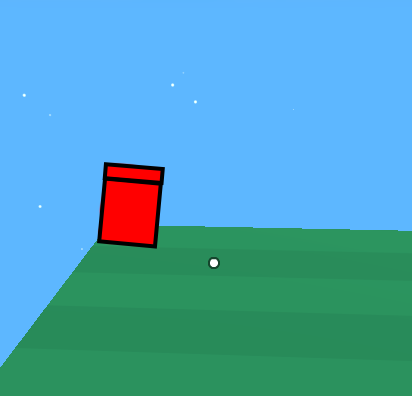
The player can only build and destroy things within a certain distance of themselves, and with a certain cooldown between each action. (The cooldown would be configurable by the game’s creator, something I will explain later.)
Also, by pressing R, the player could rotate the block, and with Y they could flip the block or structure sideways (This will make more sense later).
And if the player wants to build something like a bridge, or something next to some structure on the map, the player just has to look at where they want to place a block (for example).
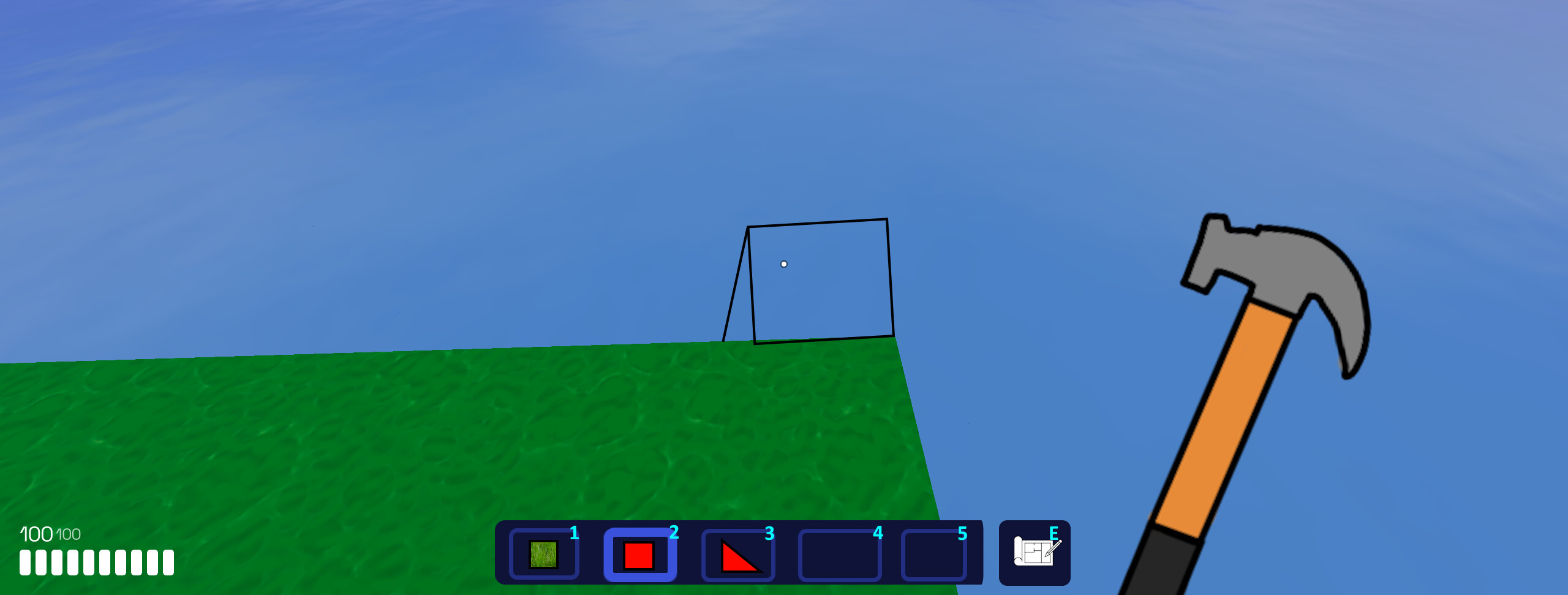
As you can see above, the player has a type of inventory. Basically, the player can place blocks/structures in the inventory to quickly select them. There’s also a blueprint icon where you press “E”, which I’ll explain now.
Blueprint! (The Block Selector)
It’s a hassle having to go around picking up blocks or other items in the game when you need to change blocks to build something. So why not create a menu where you can quickly pick up a block? So, I present the blueprint, the item block selector!
Pressing “E” will open a menu, similar to the texture selector in edit mode.
(One detail is that, upon opening the blueprint, other players could see a animation of the player looking at a blueprint!)
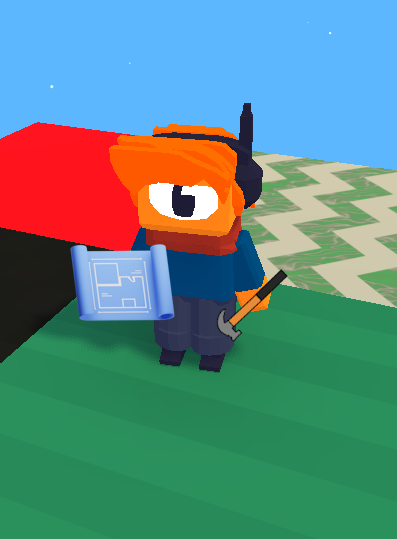
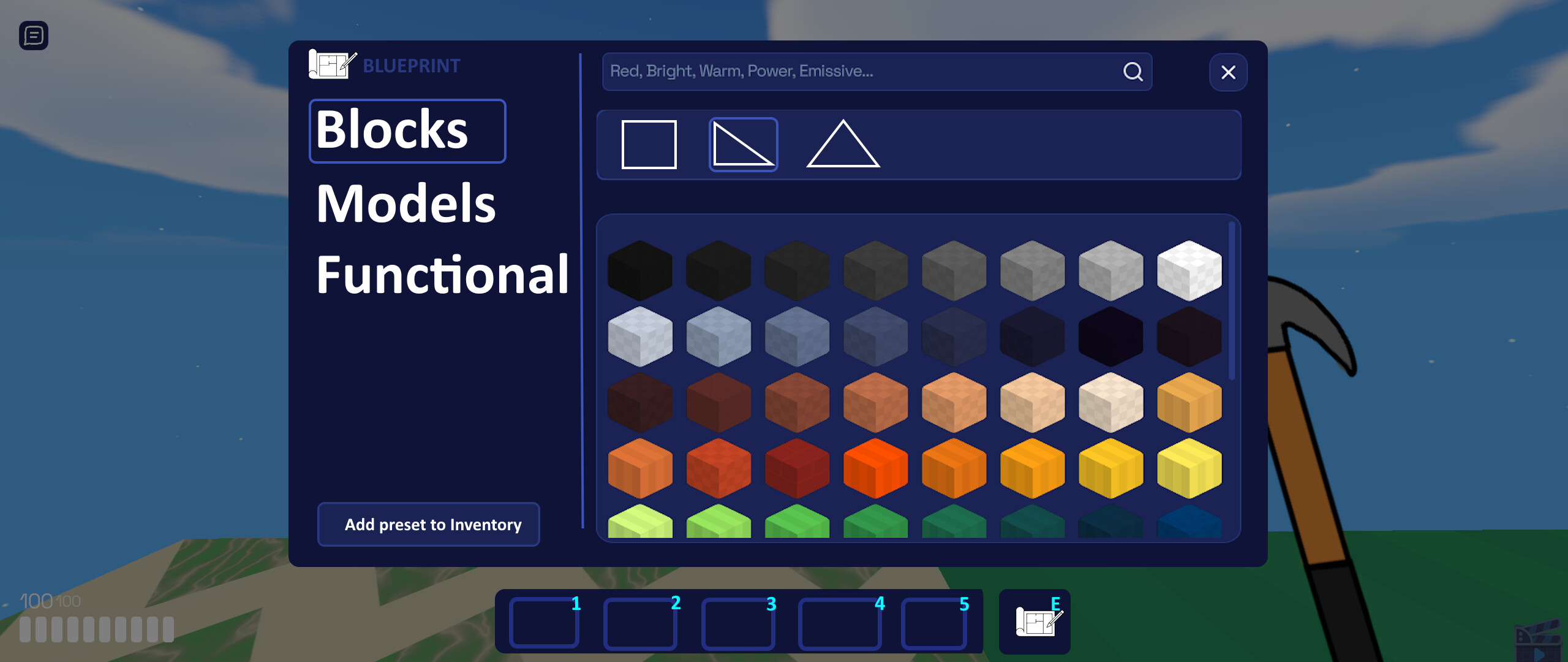
Basically, this menu allows you to select the block and also its shape (like triangular, for example), which would allow players to create even cooler constructions!
The blocks in the blueprint first would be the default ones, but the game creator could configure the block list to:
- Add or remove blocks of your own choosing, including the option to remove default Blokoto blocks.
- Allow players to use blocks that are in their inventory. It can also be chosen whether to allow players to use blocks that have behaviors.
The game creator can include blocks with behaviors, including a behavior that makes the block have no physics, which would allow for the creation of games where players could create their own traps!
And so that players know if a block has a behavior, each block with a behavior will have a type of marker, like this one for example:

There is also a button labeled “Add preset to inventory,” which basically adds the block with your selected shape to the inventory, functioning as explained previously.
You may also have noticed another interesting detail. On the left are the categories “Models” and “Functional,” and I will explain what is this.
Model:
Basically, the player will be able to use the models of Blokoto! The models will be something that can be really cool for decorating constructions, and even as an addition to help with building things.
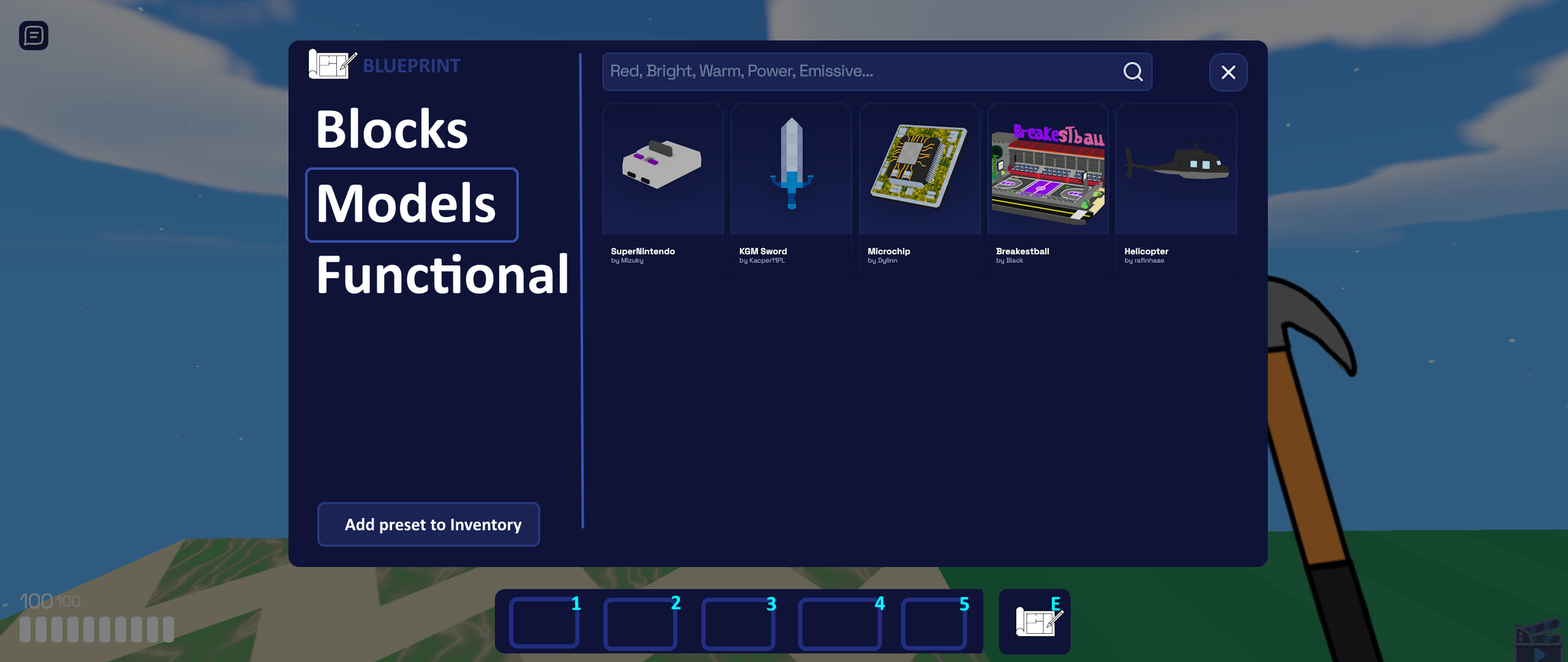
Since the models are larger than a block and can’t be positioned in the same way as a block, players can move them more freely and place them wherever they want. Essentially, players can position them using the camera, similar to many other “building” games.
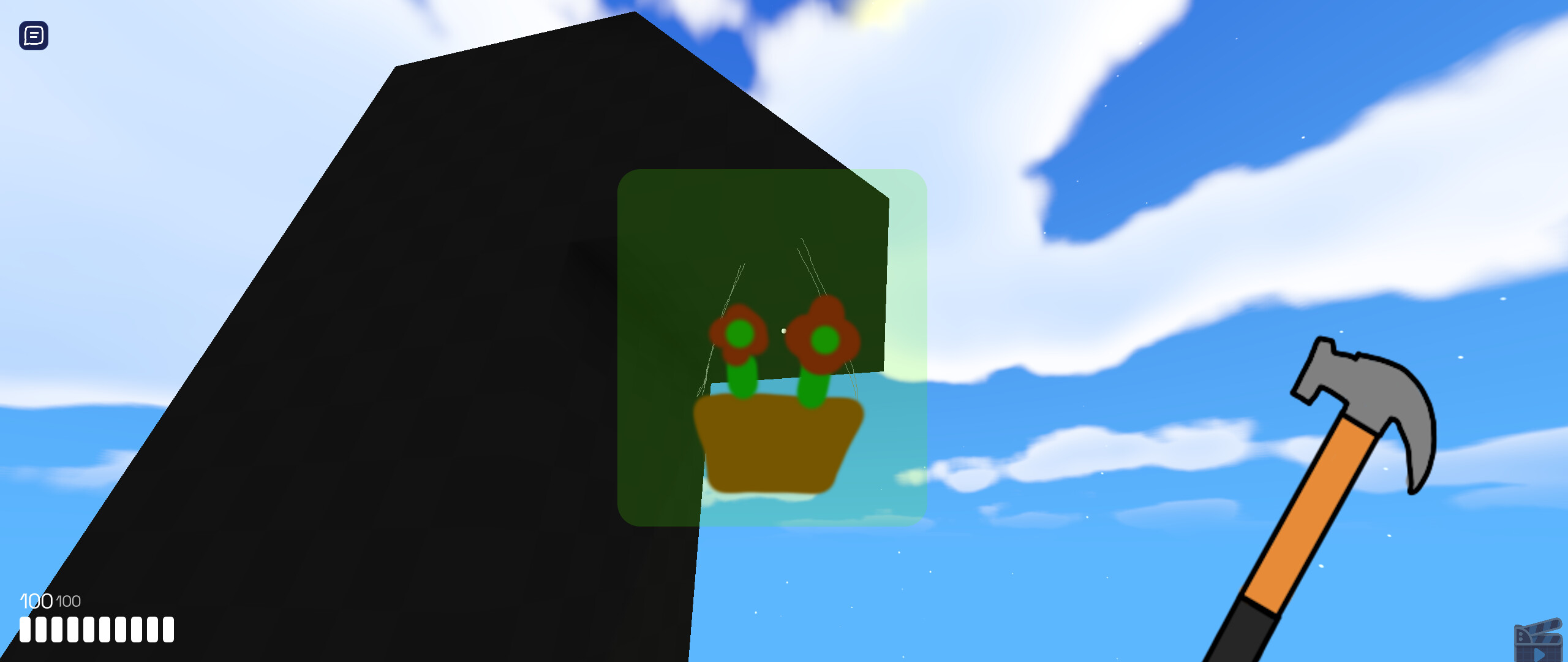
The model can also be enlarged or reduced (up to a certain point) by the player using the mouse wheel!
And, since it’s something more “customizable,” the game creator will only be able to include models that can be used on the blueprint.
Functional:
Basically, they are functional blocks or objects, meaning that when interacted with, the block will have some kind of reaction, such as doors that open and close, spikes, and even pistons and levers if we were to go further.
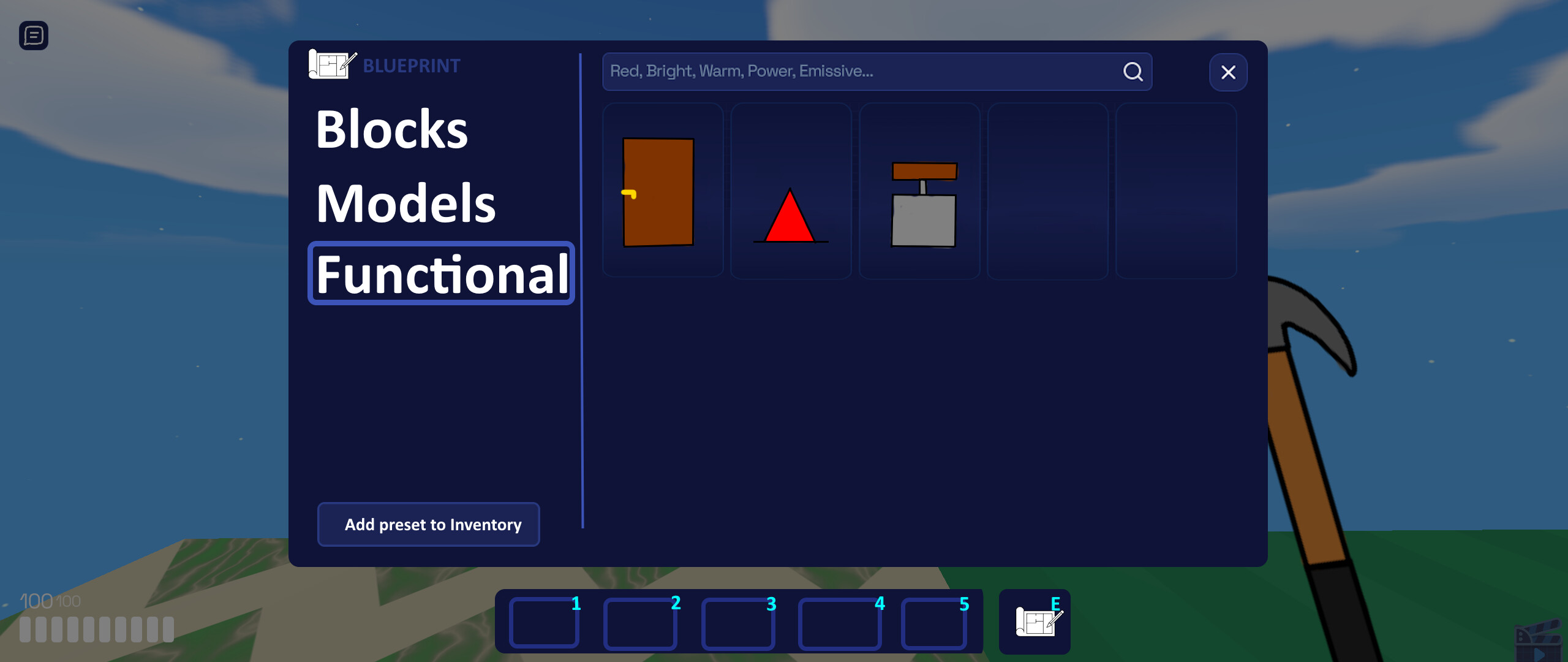
Functional blocks would be created primarily by Blokoto itself (until scripting is included and users can delve deeper into creating things).
The game creator could define whether to leave functional blocks on or off, and could select which ones could be used.
Hammer settings:
This item would be highly customizable by game developers, as it has many functions, some of which would need to be adapted. Including things like:
- Build and break cooldown: It’s great that this is configurable, because there may be games that require a certain amount of time.
- Spawn Protection: It’s practically necessary because there are some people who build things at the spawn point that can spawn kill players, or trap them. This can be enabled or disabled, and the protection distance can also be configured.
- Blocks, Models, and Functional Blocks: I explained this earlier. The game creator can define the item’s blocks, and can even define whether players can use their own textures (in addition to defining whether they can use blocks with behaviors).
- Spawn with the hammer: It can be set whether the player will spawn with the hammer.
I hope you liked the concept, and I know it’s a little crazy, but I tried to be creative!
I also apologize if something is confusing, since I used a translator to write part of the concept, so some things may not have turned out the way I intended.