A new tab is located over in the play mode menu and avatar menu!
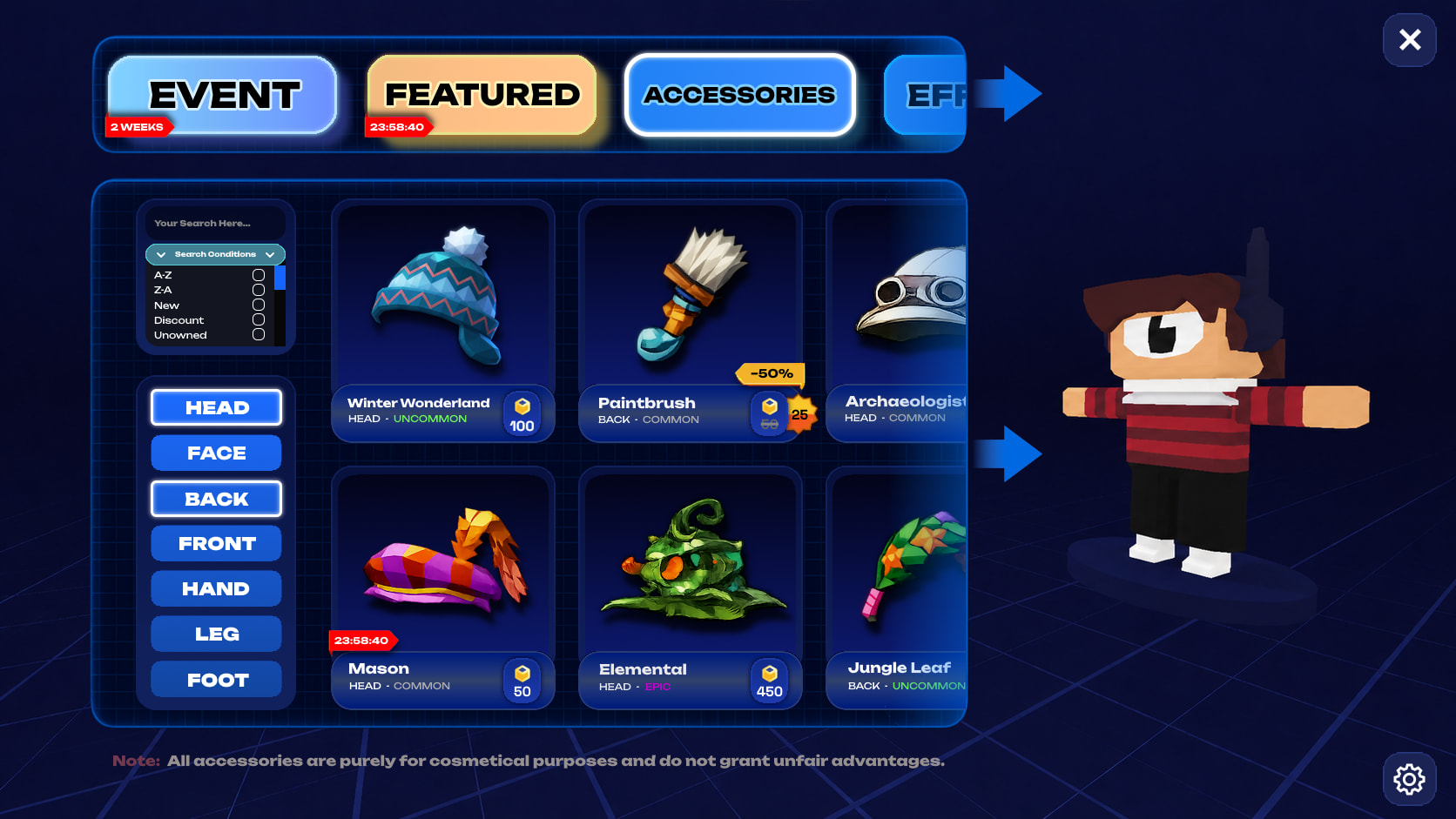
Layout
(As I’m not a UI Designer, I had some trouble figuring out the best method for this  But here’s what I came up with:)
Upper Field - Categories
- Event - Exclusive only when there’s an ongoing event. Displays the timer until the end of the event.
- Featured - Any featured items not tied to special events. Weekly, monthly deals, so on. Displays the timer until all Featured accessories are rotated.
- Accessories - Any cosmetics physically on the player (objects), from the head down to the foot!
- Effects - Dynamic elements of the player. As they’re not stated in the concept art, here’s what it could comprise of:
- Particles - self-explanatory
- Emotes - player gestures
- Animations - self-explanatory
- SFX - sound effects for the player, both idle and animation specific
A very big if, considering it could be disruptive and hard to balance, unless the game creator could disable this option for their games. Will have to be stated beforehand in the Cosmetic Shop, though
Lower Field - Cosmetics
Search
Everything cosmetic-related, you can find! You can also configure various search conditions to get what you want (no limit on how many you can tick on):
- A-Z
- Z-A
- New - recently released
- Discount
- Unowned
- Timer - will soon be taken off the shop
- Rarity - from Common to Legendary
- Wishlist - all items you’ve marked with a star
- Unavailable - items taken off the shop OR exclusive (event) items
Last one another big if, I’ll leave this for inknight to decide
Accessory Types
Self-explanatory: anything you choose will be displayed. You can also select multiple accessory types at once!
Other quirks:
Clicking the far right side of the UI tabs allows you to extend the tab further, covering your avatar and opening up more room.
Clicking the setting icon at the bottom right opens up more values you can configure!
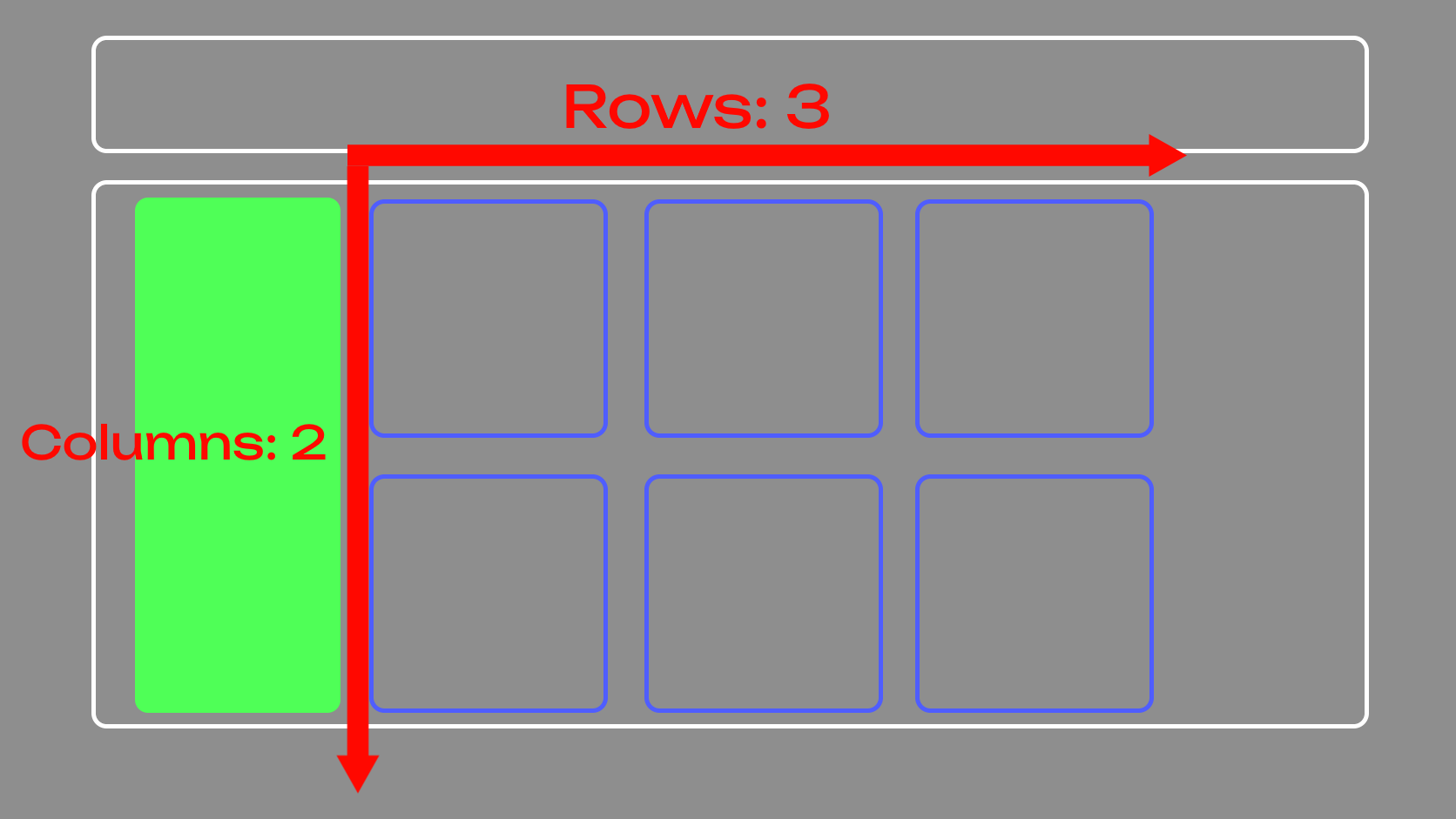
- Items per Row - default 3
- Items per Column - default 2
- No Pages - instead of pages, you use scrollwheels + a scroll bar instead!
Accessory Equip
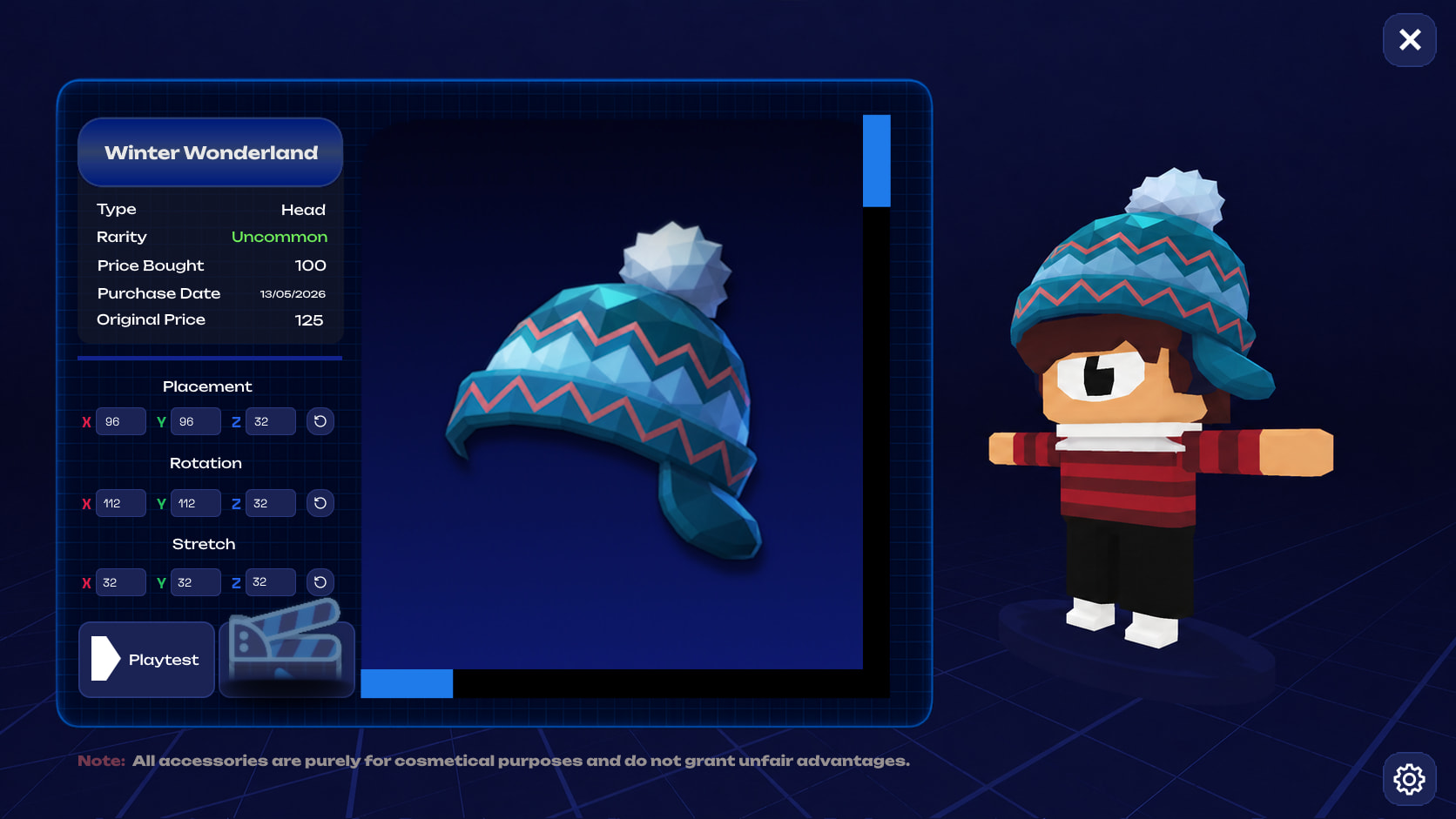
Click an accessory to view its individual values you can configure, including a wide screen to view the item in detail, zooming either manually or with scroll bars, and rotating the accessory.
Layout
- Name
- Type
- Price Bought
- Purchase Date
- Original Price
the very first price first set by the developers - Placement - configure XYZ coordinates of the accessory, or manually move it using gyro controls!
These next two values are another maybe, and could instead be tied to a subscription (ho-ho-ho  )
)
- Rotation - rotation of the item in XYZ coordinates in degrees. Better to use gyro controls, though.
- Stretch - stretch from the origin point to a new XYZ coordinate (or gyro control). You could also call this Yaw & Pitch.
- Playtest - move your character around in-game
- Movie icon - play animations of the character while inside the cosmetic shop
I’ll send accessory + effect ideas soon, but do note that the concepts shown here I can’t exactly pinpoint, as they’re from quite old Kogama suggestions of mine. Which means I’m unsure if they’re CC0 or not. But nothing’s preventing you from taking inspiration…