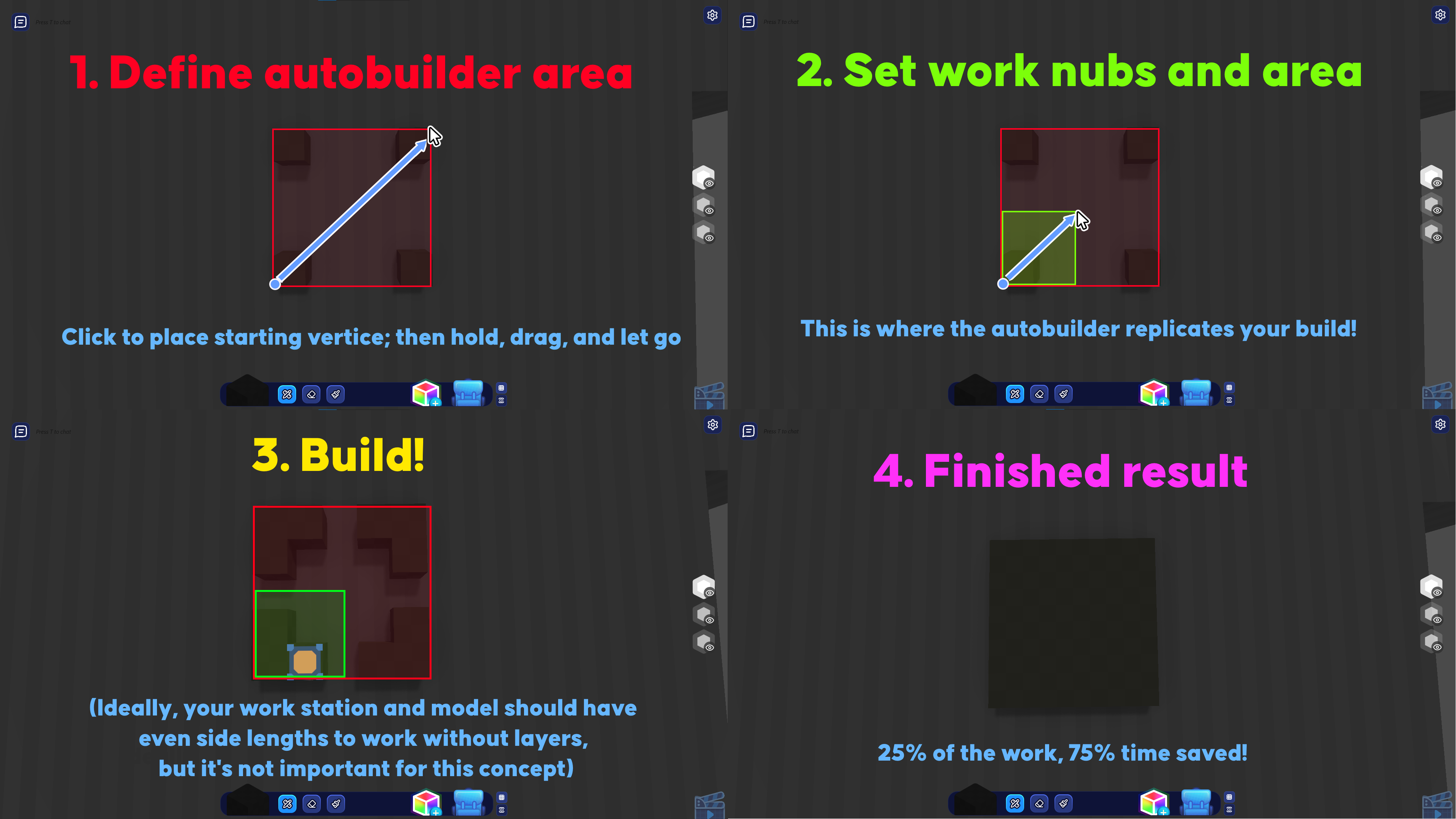
The Autobuilder is a new tool found in the edit mode’s sidebar (icon is not important for this concept).
First, define the area where the autobuilder will operate. Do this with a starting nub you can place anywhere in a grid/non-grid system, then drag and let go anywhere of your choosing.
Next, select the area where you’ll actually be building. This operates the same way as before. You can’t go farther than 1/4 of your autobuilder area, as then your blocks will start to overlap.
Build your desired model. Ideally, for the autobuilder to work, your model’s side lengths should be even. If technically possible: switch layers mid-build.
The finished result yields you 100% of the model with only 25% of the work and 75% of your time saved. It’s not laziness, but efficiency.