Some of the effects described here may have been suggested before. However, I haven’t seen a suggestion detailing all types of block behaviours in one go. So here’s what I’ve come up with:
New style change:
- Usage of icons.
- Allow the player to configure behaviour values.
- (For example, for burning, configure damage value over time, and delay before damage will start to take effect…)
- With this in mind, all Trampoline effects can be merged into one.
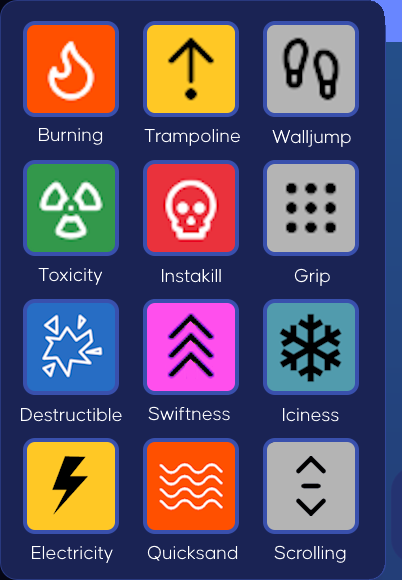
Destructible – Apply a level of toughness to the block, allowing the player to change its shape.
- Block Toughness – 0 → 100
- Allow Regeneration? – Yes/No
- Regeneration Delay – 1s → 120m
Return block to original state after a period of time
- Regeneration Delay – 1s → 120m
Swiftness – Modifies player movement and jump power while maintaining contact with the block.
- Movement Speed – -100 → 1 (Default) → 100
- Jump Power – -100 → 1 (Default) → 100
Iciness – Modify block surface friction, causing the player to slide while touching the block.
- Friction – 0 → 50 (Default) → 100
Values closer to 0 cause a normal ice effect, values closer to 100 cause the player to stick to the ground like glue! - Affect Jump Power? – Yes/No
Reduces jump power depending on the level of friction
Electricity – Shocks the player on contact, dealing damage and briefly stunning.
- Damage Value – 0 → 100
- Stun Duration – 0s → 30s
Prevents all types of movement during shock period, including the usage of weapons - Shock Delay – 0s → 60s
How long can the player stand on the block before they get shocked?
Quicksand – Player begins to get pulled down upon contact with the block; jump repeatedly to escape. Starts to deal damage when half-submerged.
- Submerge Speed – 1 → 100
How fast the player starts being pulled down upon contact with the block - Damage Value – 0 → 100
- Damage Delay – 0s → 30s
How long before damage is applied to the player again? - Power – 0 → 100
How much effort does the player need to put into spamming the spacebear to free themselves from the block?
Scrolling – Apply continuous movement to the texture.
- Movement Speed – 1 → 100
- Direction – 0° → 359°
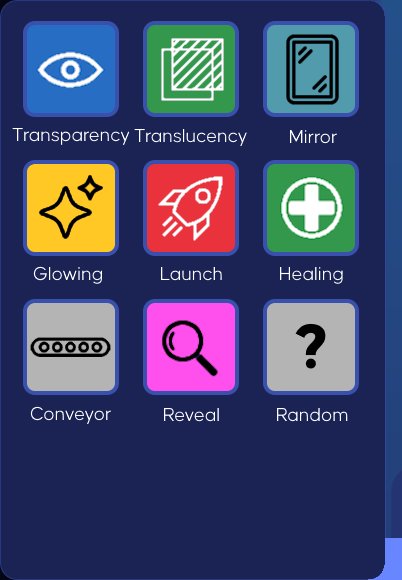
Transparency – Control block see-throughness.
- Clarity – 0 (Default) → 100
Translucency – Control how much light passes through the block.
- Blurriness – 0 → 100
Not to be confused with transparency. One messes with sight, the other with light
Mirror – Reflect light to the player.
Glowing – Allow the block to emit light, making it visible in the darkness.
- Power – 0 (Default) → 100
Launch – Hurtles the player off the ground upon contact without input.
- Power – 0 (Default) → 100
- Delay – 0s → 30s
How long should the player reside on the block before it takes effect?
Healing – Player is slowly healed when maintaining contact with the block.
- Heal Amount – 0 (Default) → 100
- Heal Delay – 0s → 30s
How long should the player reside on the block before more health is given to the player? - Go past maximum health? – Yes/No
- Health Barrier – 101 → 1000
Similar to KoGaMa’s heal block
- Health Barrier – 101 → 1000
Conveyor – Continuously moves the player in one direction without input.
- Speed – -100 → 0 → 100
- Direction – 0° → 359°
Reveal – Highlights the player’s outline through walls when the player touches the block.
- Duration – 1s → 120m → Indefinite
- Delay – 0s → 30s
How long should the player reside on the block before it takes effect?
Random – Applies random effect(s) to the player of your choice.
- List of Effects
- All with their own values
- Effect Delay – 0s → 30s
How long should the player reside on the block before it takes effect? Loops!
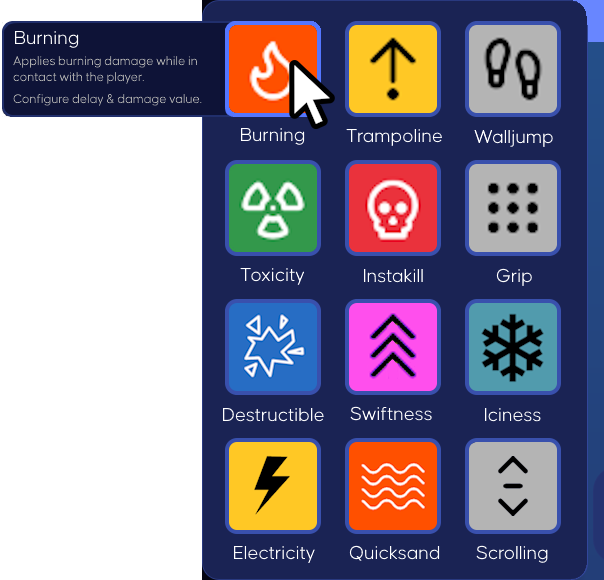
Extra: hover over a specific effect in the Effect List to display a short description of the said effect and all values you can configure.
Other things:
- Allow the player to select multiple effects at once, then choose to tab out.
- Allow the player to remove the effect after applying.
All values stated in the concept are to be taken arbitrarily.